Showing posts with label Tips. Show all posts

Saturday, 1 December 2012

Quick Furni

Be the first to comment!

Have you ever wondered if there's any possible way to make building so much easier and quicker? Getting bored of the tiresome stacking? Well there is! Some of the best shortcuts you can use are below to make your building much easier!

_____________________________________________________________________________________________________________

Moving Furni:
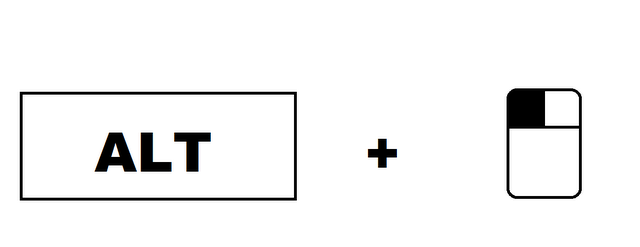

Pressing down the "Alt" key on your keyboard whilst left clicking Furni with the mouse. This will make the Furni appear as a shadow, when that happens then simply drag your mouse and un-click. Presto! Easy to move with no headache of clicking the Furni and manually doing it anymore!

_____________________________________________________________________________________________________________

Rotating  Furni:
Pressing down the "Shift" key on your keyboard whilst left clicking Furni with the mouse will rotate the Furni making it easier then ever before! No more clicking the Furni then clicking the "Rotate" tab under the item you want to rotate. Simple as abc and counting 1..2..3!

_____________________________________________________________________________________________________________

Picking Up Furni:
Pressing down the "Ctrl" key on your keyboard whilst left clicking Furni with the mouse will pick them up really fast and quicker than the traditional way of clicking the Furni then "Pick Up". Often a user will mess up stacking and pick-all to start from scratch. This key-pad combo will help to remove a certain part of your room rather than all of it at once.

Thursday, 16 August 2012

Habbo Tips

Be the first to comment!

Keyboard Actions

A very unknown feature of habbo is the thumbs up. It is exactly the same to the thumbs up performed when respecting, and can only be done by typing the command "_B" Without the quotations.


To wave type "o/" Without the quotations.

To laugh, type ":D"
To blow a kiss type ":kiss"

To show signs type ":sign 1" This will show a sign with a 1 on it. Simply change the number after :sign, to show a different number, e.g ":sign 2".
And last but not least, to go idle type ":idle"

Furni Keyboard shortcuts

To move furni easier, you can hold down ALT while dragging furni.
To rotate furni, you can hold SHIFT while clicking a furni, one click = 1 rotation.
To pickup furni, you can hold CTRL [Mac: CMD] while clicking the furni you want to pickup.

Mute Pets/Plants
Ever got annoyed over those annoying dragons and plants chatting with themself? Simply type ":mutepets" Without the quotations, this will stop pets and plants from talking on your client, until you leave the room. It will mute them only for you, and everyone else in the room will still be able to see them talking.

Windows Habbo Alt Codes

A num pad is needed for these codes.


Mac Alt Codes

No num pad is needed for these.
A link to Habboxforums. Thank you Habbox <3